
Purpose of Article: Resolves an issue with the BananaTag Outlook add-in not functioning.
Audience: Anyone who is a user of BananaTag
Steps:
1. Close the Outlook application
2. Re-open Outlook
3. Navigate to File > Options
4. Select Add-ins from the left toolbar
5. Navigate to Manage: COM Add-ins and select Go...
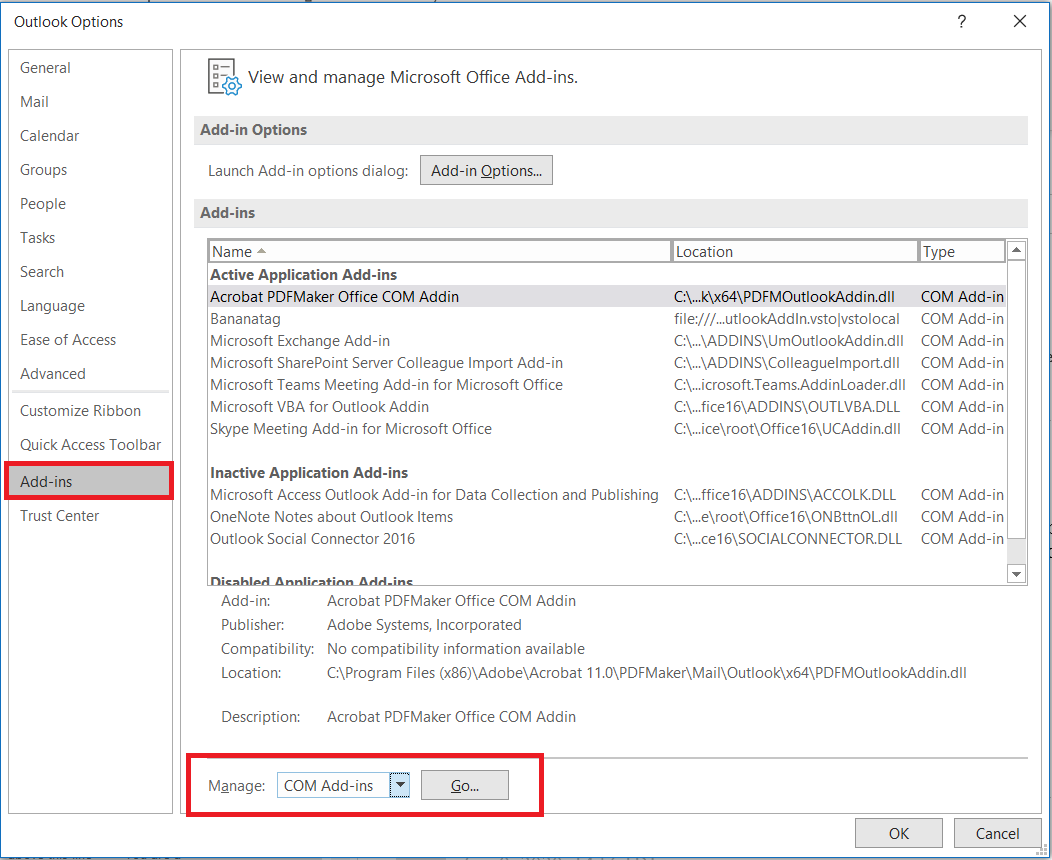
6. Check the box next to Bananatag and select OK
7. The BananaTag add-in should now be available
Comments
0 comments
Please sign in to leave a comment.