
Okta runs in the cloud, on a secure, reliable, extensively audited platform, which integrates deeply with on-premises applications, directories, and identity management systems.
Step-by-step guide
- Go to karmaautomotive.okta.com
- Sign-in with Windows Credential
- After you have signed in click your name in the top navigation bar and then choose Settings option

- Click Edit Profile.

- Scroll down to Extra Verification table.
- You will set up three of the extra verification options (Okta Verify Mobile App, Text Message Code, and Security Question)
- Click on the Setup button and go through each set up guide
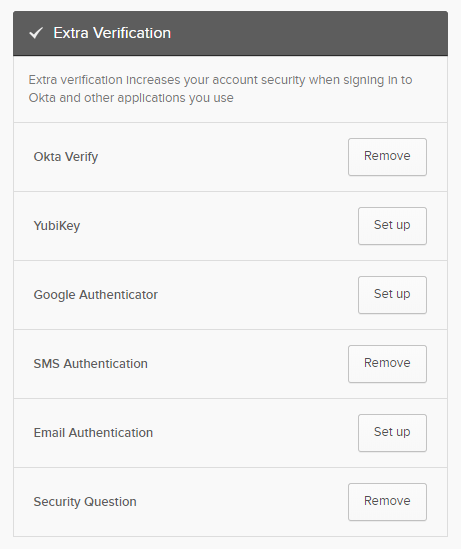
- You have successfully set up Multi-Factor Authentication for your Karma account
You can also view a video of the whole set up with the link below:
Comments
0 comments
Article is closed for comments.