Use the following steps if the Skype for Business Application is stuck at the sign-in screen.
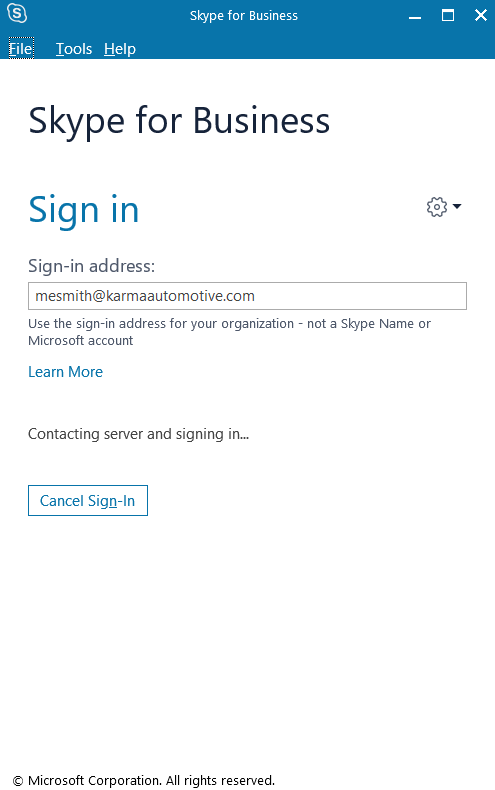
- Select Cancel Sign-In:

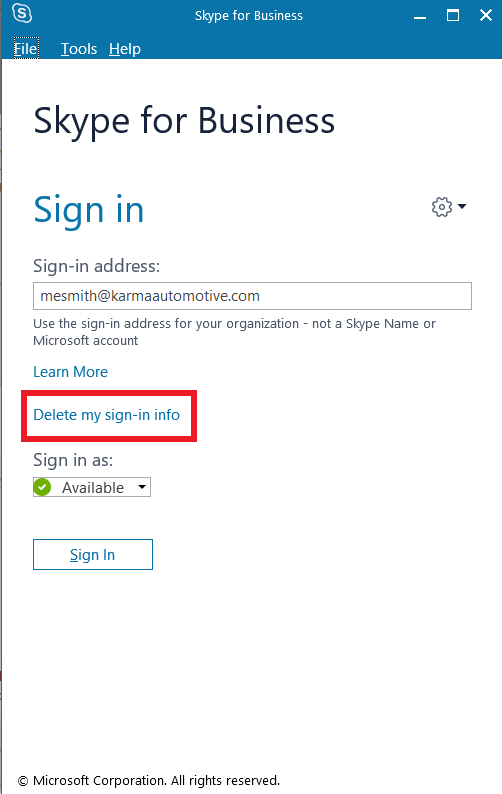
2. Select Delete my sign-in info:
3. Sign-in with your Karma email address and password

Use the following steps if the Skype for Business Application is stuck at the sign-in screen.
2. Select Delete my sign-in info:
3. Sign-in with your Karma email address and password
Comments
2 comments
This is great, it worked!
It worked for me. 👍
I wasn't expecting it to as I couldn't ping the Skype server at
skype.karmaautomotive.com
But yayyy, the Knowledge Base is bearing fruit ! 😃
Please sign in to leave a comment.